I still remember the first time I fired up the Black Myth: Wukong PC benchmark tool. It felt like Game Science handed me a stress test and a crystal ball in one package. The tool landed on Steam before the game’s August 20, 2024 launch, and even now in 2026 I treat it as a handy time capsule: it tells you exactly how hard this Unreal Engine 5 action RPG can push your rig. The game itself is a new IP from the Chinese studio Game Science, built around Journey to the West, and you play the Destined One roaming a myth-soaked world full of strange enemies. The benchmark tool, though, is all about cold numbers and pretty pixels.
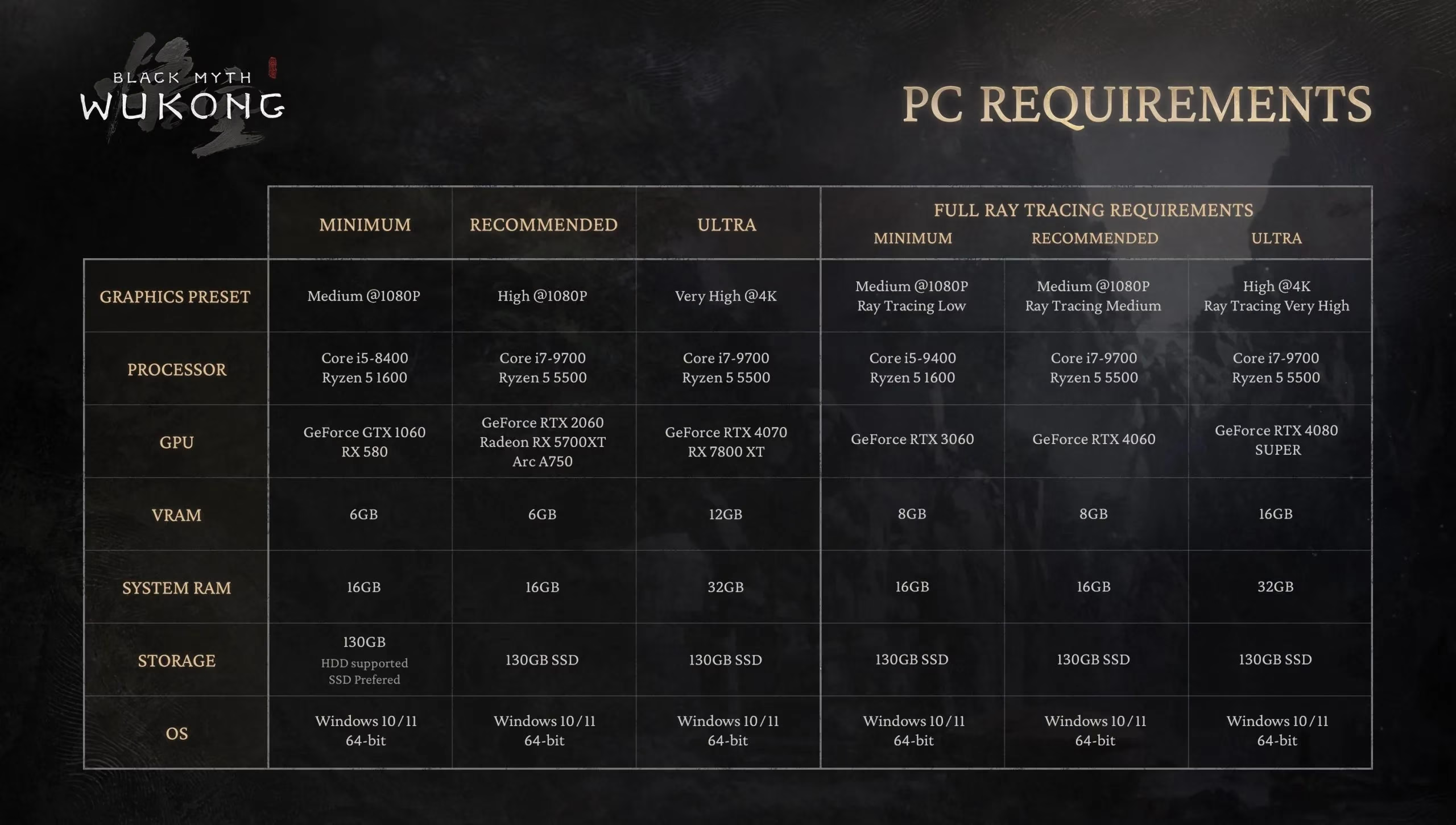
Let’s be real: this is not a game that whispers sweet nothings to your GPU. It walks into the room and asks your graphics card to do push-ups. The official system requirements already pointed at an RTX 4070 or RX 7800 XT for Ultra quality without ray tracing, and if you want the full RT experience you are looking at an RTX 4080 SUPER or above. CPU demands are more polite: a modern six- or eight-core chip from AMD or Intel, with the developer pointing at 9th Gen Intel or Ryzen 5000 as a sensible baseline.
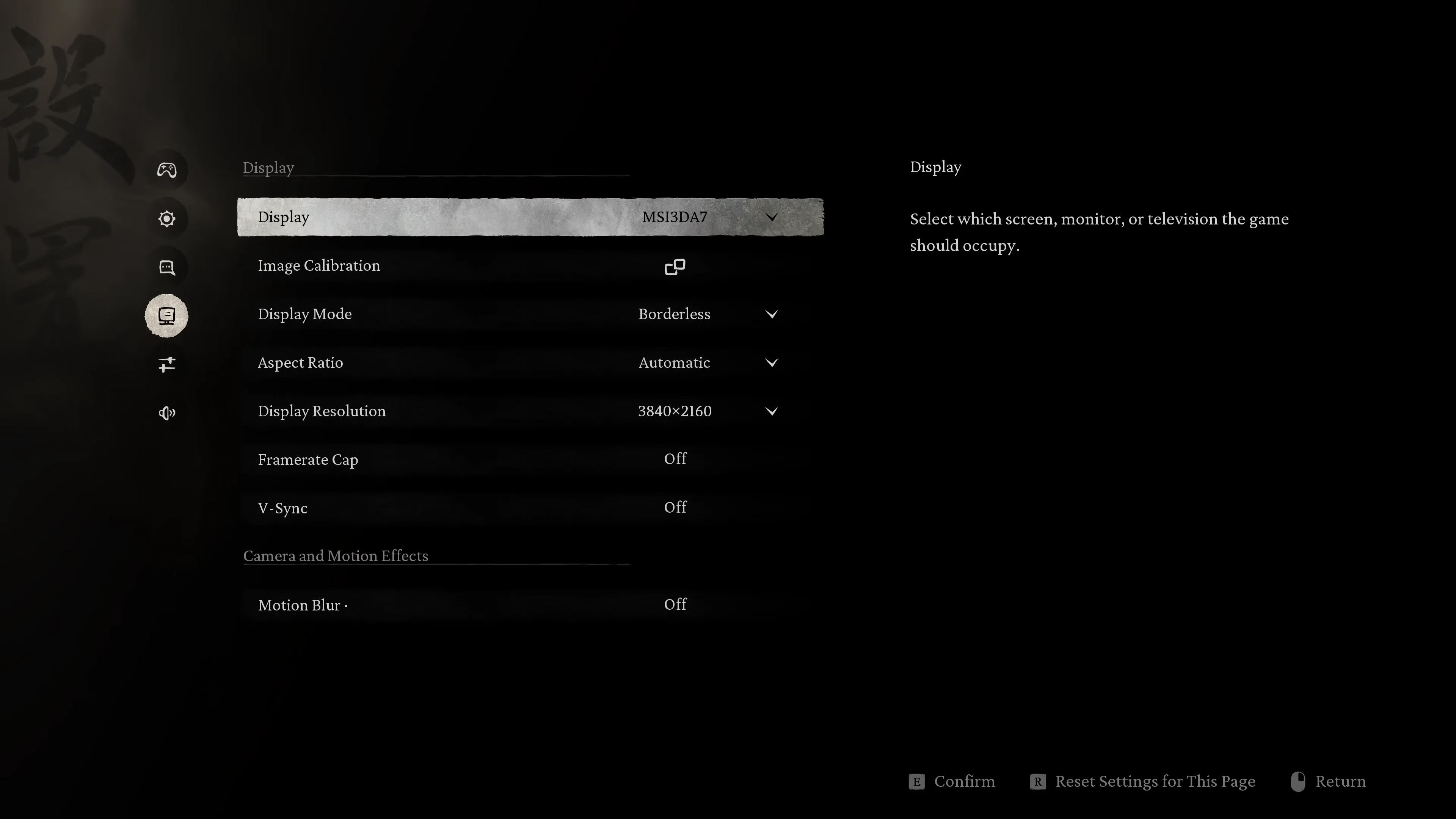
The settings menu is where the tool starts to feel like a friendly tour guide. The display panel covers resolution, display mode, aspect ratio, frame-rate cap, V-Sync, and motion blur. The graphics section goes deeper: a Recommended Graphics Settings button sits at the top, then Super Resolution options, then the usual quality knobs. I like that it does not hide the important stuff behind three submenus.
Here’s the kicker: Black Myth: Wukong supports DLSS, FSR, and XeSS, plus a fourth TSR option. Frame Generation works with DLSS, FSR, and TSR, though at the time of the original test NVIDIA cards did not support FSR Frame-Gen while DLSS Frame-Gen worked fine. The Super Resolution slider is neat: 100% means native-resolution sampling, essentially DLAA, FSR AA, or XeSS AA, and sliding down unlocks Quality, Balanced, Performance, and Ultra Performance presets. Ray Tracing is listed as NVIDIA Full Ray Tracing and applies only to NVIDIA GPUs, with Low, Medium, and Very High modes. Very High enables path tracing, which makes sense given NVIDIA’s stronger RT hardware.
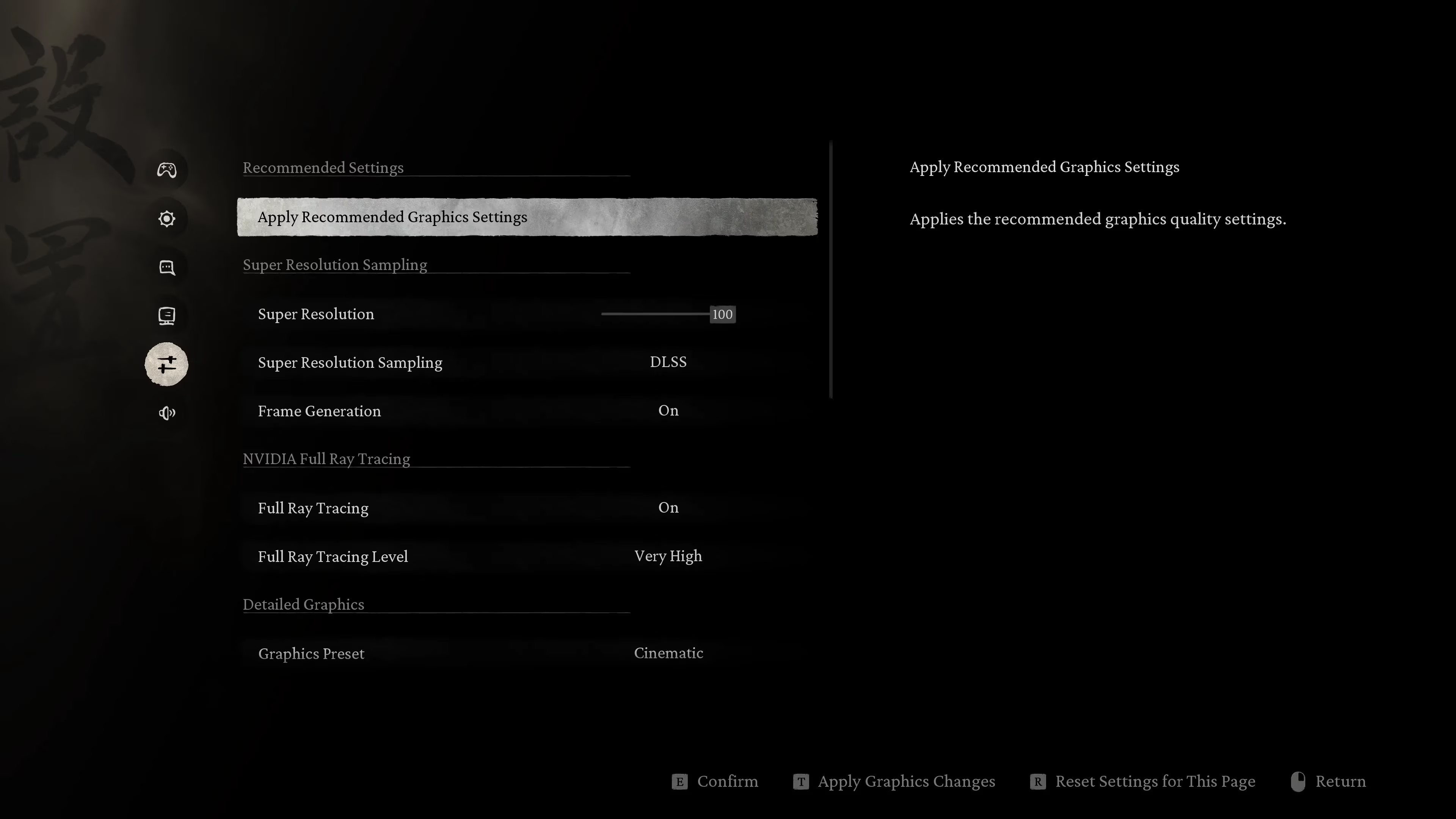
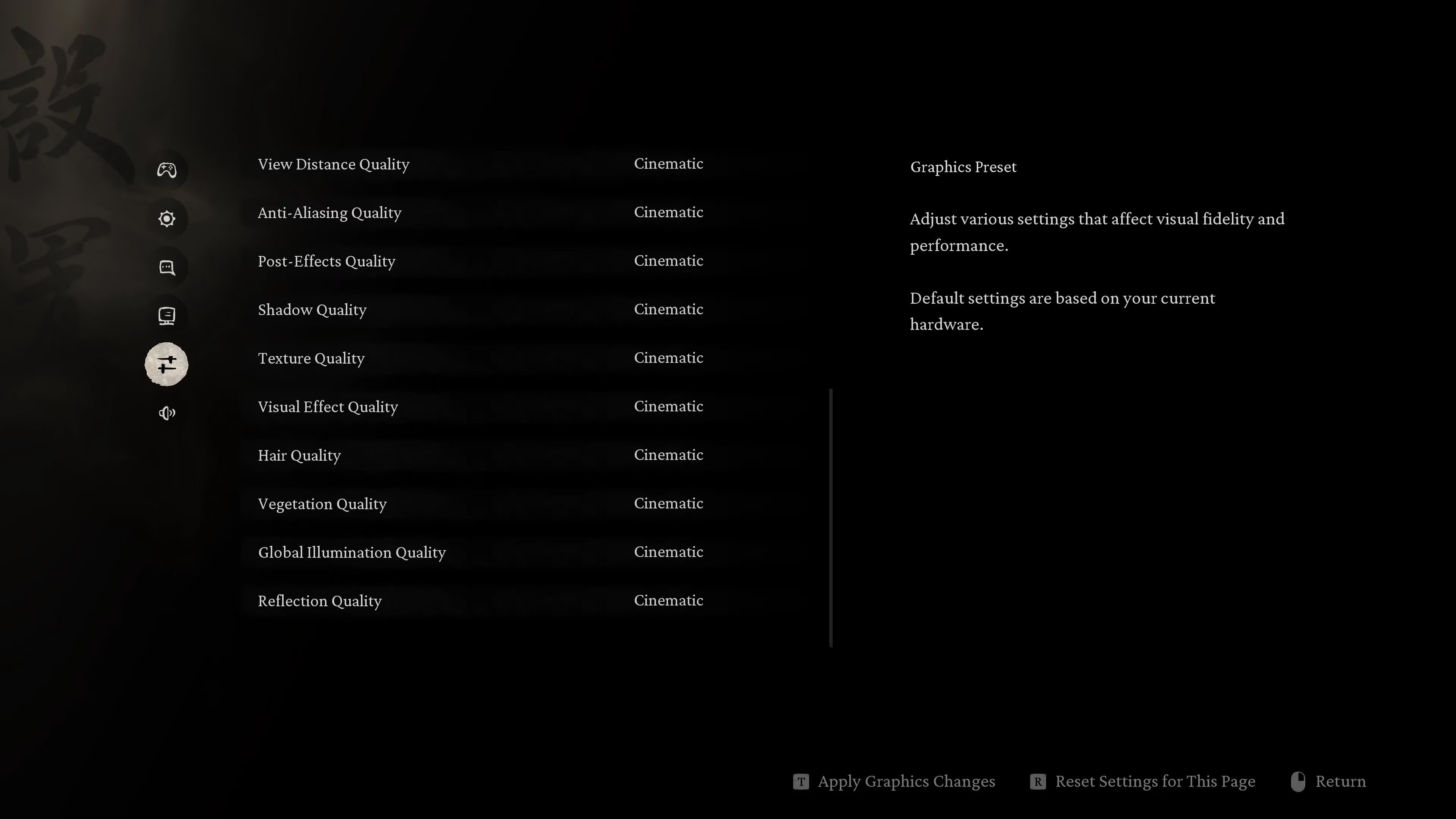
The manual quality settings include View Distance, Anti-Aliasing, Post-processing Effects, Shadows, Textures, Visual Effects, Hair, Vegetation, Global Illumination, and Reflections. The top quality tier is called Cinematic, because of course it is. Before the benchmark runs, there is a pre-shader compilation step that takes around one to two minutes. Since this is an Unreal Engine 5 title, some Intel users had a rough time here. I would recommend using Intel Baseline profiles or manually underclocking or undervolting if you hit crashes. The loading time is short because the tool only compiles benchmark assets, not the whole game.
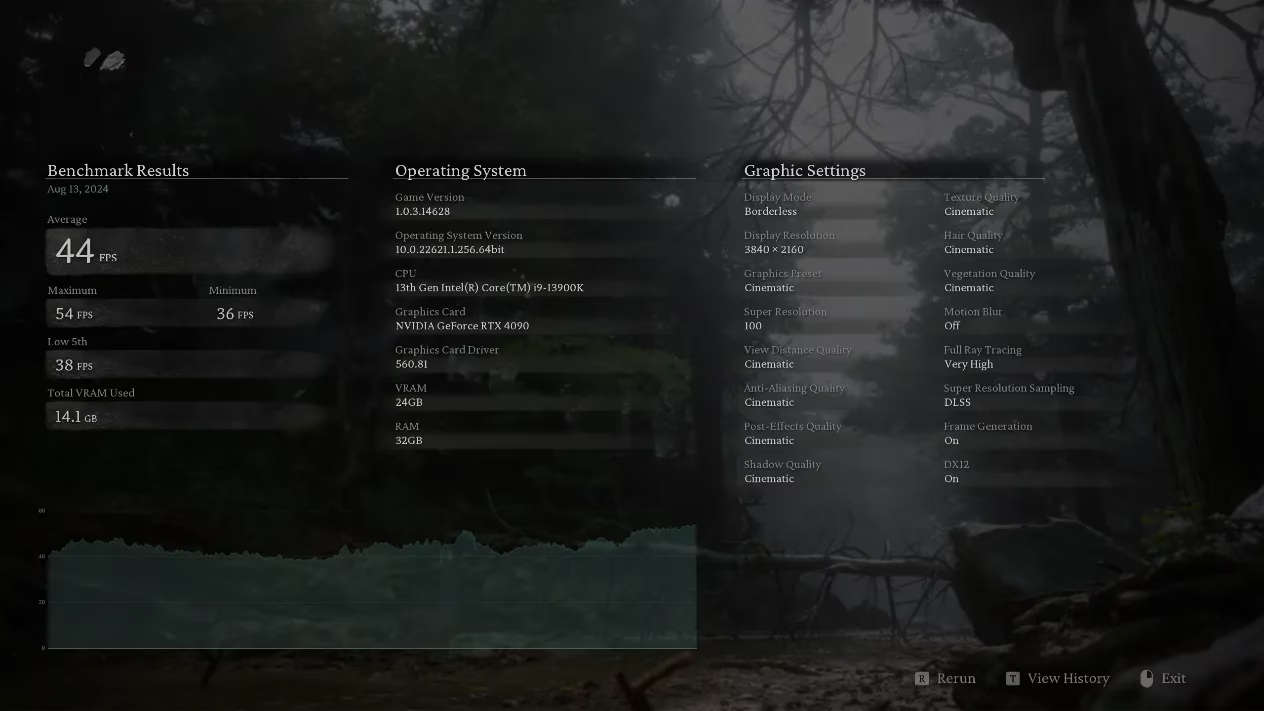
Now for the performance. The original test used an NVIDIA GeForce RTX 4090 with an Intel Core i9-13900K on the Baseline Profile and DDR5-6800 memory. Everything was maxed out, including RT quality. At 4K with DLAA and Frame Generation, the RTX 4090 scored 44 FPS. With DLSS at 75% and Frame Gen, it hit 74 FPS. Without Frame Gen, those numbers dropped to 23 FPS with DLAA and 41 FPS with DLSS Quality. That tells you everything: this game is GPU-intensive, and frame generation is not a luxury here, it is a survival tool.
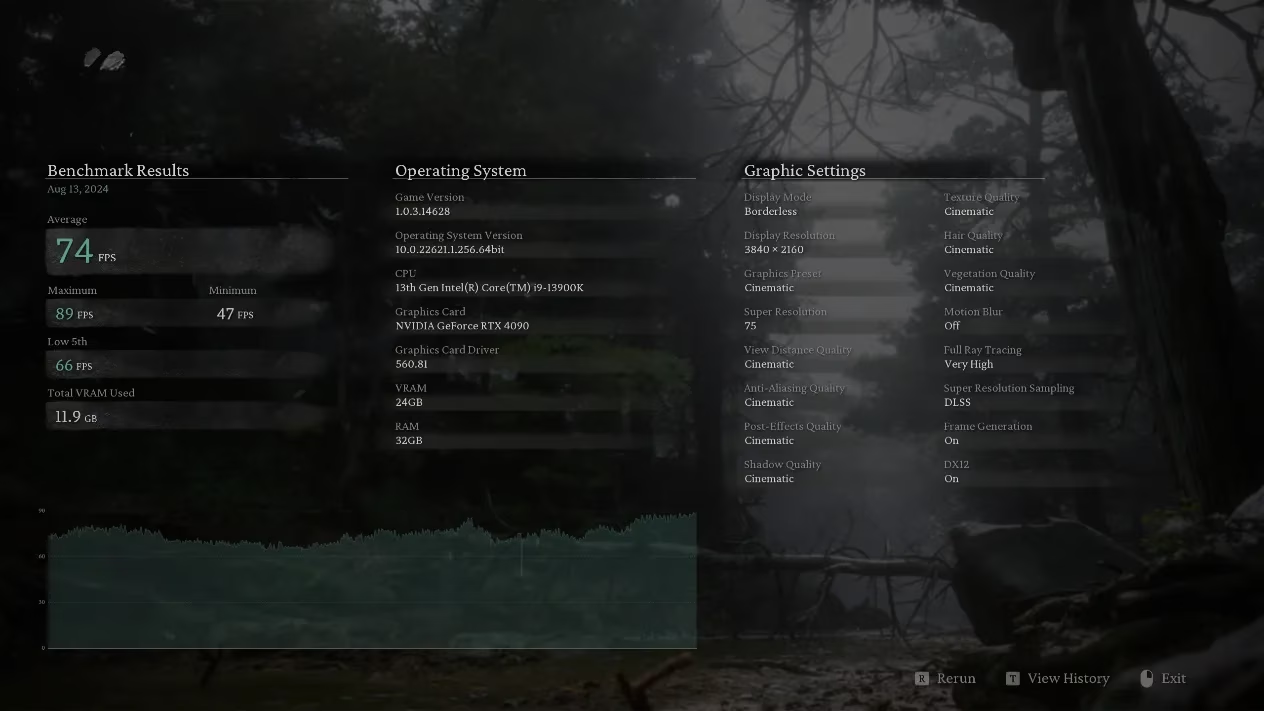
The wider GPU results, with maxed-out quality and RT plus frame generation, looked like this:
| GPU | 4K FPS |
|---|---|
| RTX 4090 | 74 |
| RTX 4080 SUPER | 61 |
| RTX 4070 Ti SUPER | 53 |
| RTX 4070 | 46 |
| RTX 4060 Ti | 32 |
| RTX 4060 | 27 |
And a second run produced these numbers:
| GPU | FPS |
|---|---|
| RTX 4090 | 118 |
| RTX 4080 SUPER | 97 |
| RTX 4070 Ti SUPER | 85 |
| RTX 4070 | 74 |
| RTX 4060 Ti | 53 |
| RTX 4060 | 46 |
No surprises there: the RTX 4070 family is happier at 1440p, and the RTX 4060 family makes more sense at 1080p. In 2026, with the game long since released and drivers having matured, I would treat these launch-window benchmark numbers as a baseline rather than the final word. Modern driver updates from NVIDIA, AMD, and Intel can smooth out rough edges, but the underlying lesson stands. Black Myth: Wukong is a heavyweight, and the benchmark tool is still a useful way to see whether your PC wants to dance or just sit down and catch its breath.
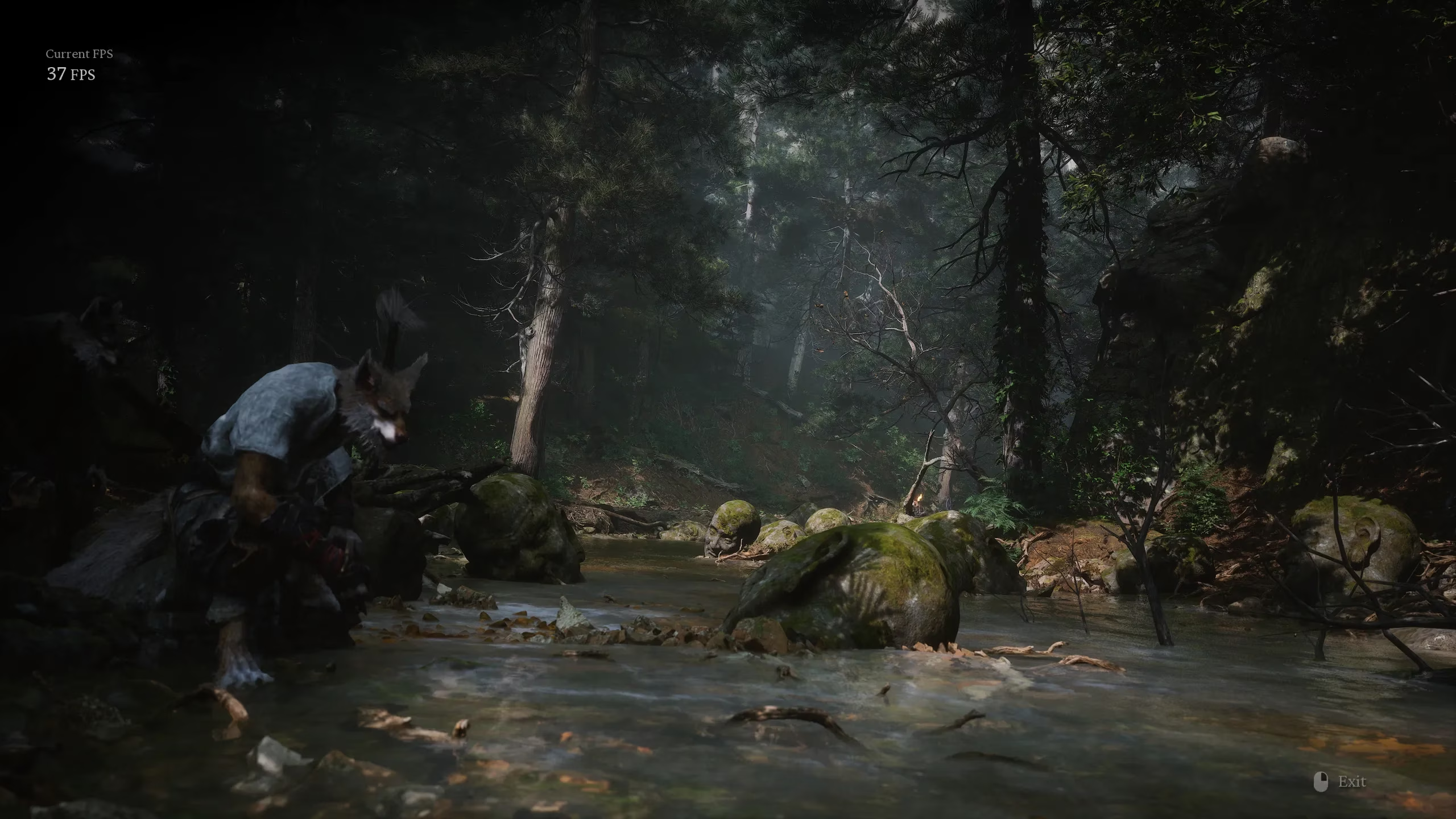
Would I recommend the tool today? Absolutely, especially if you are upgrading a GPU or just love watching your hardware sweat. It is free, focused, and brutally honest. Just do not expect it to hold your hand. It will show you the truth, and sometimes the truth is a 23 FPS slap in the face. 😄